
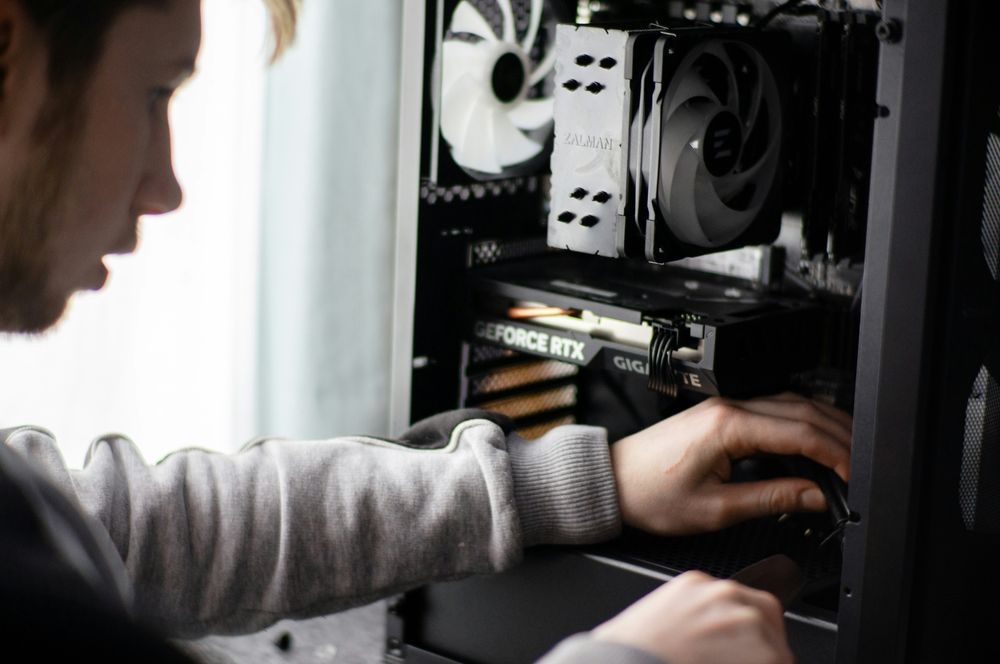
Stepping into the world of custom PC building can feel like standing at the base of a digital mountain. The sheer volume of technical terminology, the endless array of options, and the fear of making a costly compatibility mistake are enough to overwhelm even the most enthusiastic newcomer. Yet, building your own computer is one of the most rewarding tech projects you can undertake. It strips away the mystery of modern electronics, grants you complete control over your budget, and leaves you with a powerful machine tailored precisely to your needs, whether you are rendering 4K video, competing in high-refresh-rate esports, or simply wanting a snappy workstation for daily tasks.
The secret to a successful first build lies in understanding the core hardware components. Instead of viewing a computer as a monolithic black box, it helps to see it as an ecosystem of specialized parts working in absolute harmony. Each component has a distinct role, specific performance metrics, and strict compatibility requirements. Demystifying these parts transforms the daunting parts list into a clear roadmap. Let us break down the essential hardware components every first-time builder needs to master before ordering a single screw.
The Central Processing Unit (CPU)
Often described as the brain of the computer, the Central Processing Unit or CPU executes instructions, performs calculations, and coordinates every operation happening within the system. When you click an application icon, load a massive game level, or compress a folder, the CPU handles the heavy lifting of processing those instructions at blistering speeds.
Modern CPUs are marvels of engineering, packing billions of microscopic transistors onto a silicon die smaller than a postage stamp. When shopping for your first processor, you will encounter two dominant market competitors: Intel and AMD. Both brands offer exceptional value across various price brackets, but they utilize different socket architectures on the motherboard, meaning your choice of CPU locks you into a specific motherboard platform.
Performance is largely determined by clock speed, measured in gigahertz, and core count. Cores act as individual processing lanes within the chip. While quad-core processors were once the standard, modern computing demands higher multitasking capabilities, making six to eight cores the sweet spot for most mainstream builders. Understanding your primary use case is crucial here. Gamers need high single-core speeds for responsive frame rates, while video editors and 3D artists benefit immensely from higher core counts that can chew through parallel rendering tasks.
The Motherboard
If the CPU is the brain, the motherboard is the nervous system. This large printed circuit board houses every other component, providing the electrical pathways, data buses, and physical slots necessary for the system to function as a unified whole. Choosing the right motherboard requires careful attention to form factor, chipset capabilities, and physical connectivity.
Motherboards generally come in three primary sizes: ATX, Micro-ATX, and Mini-ITX. Standard ATX boards offer the most expansion slots, memory channels, and features, making them the easiest for beginners to build in because they provide ample working room. Micro-ATX offers a more compact footprint while retaining most essential features, whereas Mini-ITX boards are designed for ultra-small form factor builds that require meticulous cable management and specialized cooling solutions.
Beyond physical size, the motherboard dictates your expansion potential. It determines how many RAM sticks you can install, the generation and quantity of high-speed storage drives you can mount, and the type of graphics card interface available. Paying close attention to the rear I/O panel—the collection of USB ports, audio jacks, and network connections accessible from the back of the case—ensures you will have enough connectivity for all your peripherals without living in a perpetual cycle of swapping cables.
Random Access Memory (RAM)
Random Access Memory serves as your computer short-term memory workspace. Unlike a storage drive that retains data permanently even when powered down, RAM holds the active data your CPU needs immediate access to. When you have dozens of browser tabs open, a music streaming app running in the background, and a demanding game launched, all that active state data lives inside the memory modules.
For a modern custom build, memory capacity and speed dictate how smoothly your system handles heavy multitasking. While eight gigabytes of RAM used to be the baseline, contemporary software demands sixteen gigabytes as the practical minimum for a smooth experience. Enthusiasts, content creators, and heavy multitaskers frequently opt for thirty-two gigabytes to future-proof their systems.
When selecting RAM, builders must look at both frequency and latency metrics. The transition from older DDR4 standards to the newer DDR5 architecture has brought significant bandwidth improvements, though it also requires compatible motherboards. Installing RAM is one of the most physically satisfying steps in a build, requiring a firm, even press until the retention clips click into place, signaling a secure connection to the motherboard memory slots.
Graphics Processing Unit (GPU)
For many builders, the Graphics Processing Unit or graphics card is the star of the show. While some CPUs feature integrated graphics capable of basic display output and light office work, a dedicated GPU is mandatory for gaming, 3D rendering, machine learning workflows, and professional video editing. The GPU contains its own specialized processor and dedicated video memory, freeing the main system CPU from the immense computational burden of rendering high-resolution visual data.
Selecting a graphics card often consumes the largest slice of a custom PC budget. Performance tiers range from entry-level cards designed for smooth 1080p gaming to monstrous flagship cards capable of pushing high-refresh-rate 4K displays. Beyond raw rendering power, modern GPUs feature advanced hardware-accelerated ray tracing cores and AI-driven upscaling technologies that dramatically enhance visual fidelity and frame rates in supported software.
Physically, modern graphics cards are massive. They often span multiple expansion slots on the case and stretch deep into the chassis, requiring builders to verify that their chosen PC case has enough clearance length. Many high-end cards also require anti-sag brackets to prevent the heavy printed circuit board from warping the motherboard PCIe slot over time.
Storage Drives: Solid State Drives (SSDs)
The days of slow, mechanical hard disk drives serving as the primary operating system boot drive are largely behind us. Modern custom builds rely almost exclusively on Solid State Drives, which utilize flash memory chips to achieve astonishing read and write speeds with zero moving parts.
Within the SSD category, the NVMe M.2 form factor has become the undisputed king. These drives resemble small chewing gum sticks and plug directly onto the surface of the motherboard, eliminating the need for bulky SATA data cables and power wires entirely. They communicate directly with the CPU and memory lanes via high-speed PCIe channels, allowing operating systems to boot in seconds and massive game files to load almost instantaneously.
When planning your storage setup, a popular strategy involves using a smaller, ultra-fast NVMe drive dedicated exclusively to your operating system and frequently used applications, paired with a larger secondary drive for long-term file archives, media collections, and massive game libraries. This modular approach makes future upgrades straightforward and protects your vital data.
Power Supply Unit (PSU)
The Power Supply Unit is perhaps the most underappreciated component in a custom PC build, yet it is arguably the most critical for system safety and longevity. The PSU takes alternating current electricity from your wall outlet and converts it into the precise direct current voltages required by the sensitive components inside your computer.
Skimping on a power supply is a dangerous gamble. A low-quality PSU can fail catastrophically, potentially damaging expensive components like your CPU and GPU. First-time builders must calculate their total estimated system wattage and choose a power supply that exceeds that demand with comfortable headroom, ensuring the unit operates efficiently without running its cooling fan at maximum noise levels.
Furthermore, builders should look for units carrying 80 Plus certification ratings, which indicate high electrical conversion efficiency. Opting for a fully modular power supply is another wise choice for beginners. Modular units allow you to plug in only the specific power cables your build requires, drastically reducing cable clutter behind the motherboard tray and improving internal airflow.
The PC Case and Cooling Systems
Once you have selected your core internal hardware, you need a home for it. The computer case does much more than simply make the machine look attractive on a desk; it dictates internal thermal performance, acoustic levels, and ease of assembly. A well-designed case features intelligent cable routing cutouts, dust filters on intake vents, and sufficient clearance for large CPU air coolers or liquid cooling radiator blocks.
Thermal management is the final piece of the hardware puzzle. High-performance processors and graphics cards generate significant heat under load. If that heat is not exhausted efficiently, components will throttle their performance to prevent thermal damage. This makes case fans and CPU coolers vital investments.
Air coolers use dense aluminum fin stacks connected to copper heat pipes, cooled by one or two high-static-pressure fans. Liquid coolers pump coolant across a CPU water block to a remote radiator where heat is dissipated into the room. Both approaches work exceptionally well when properly planned, ensuring your newly built machine remains cool, quiet, and reliable through hours of intensive workloads.